 Newsletter: join thousands of other people
Once a month we'll send you an email with news, research and thoughts, as well as training courses and free webinars you may wish to attend.
Our websites:


Posted by Ceanna MacGregor on the 27th November, 2026
Severe & Complex Support Needs
We’ve created a set of Grid 3 writing activities to accompany the Bookbug Primary 1 Family Bag Books 2026. Anyone with a copy of Grid 3 software can download these writing activities. Although created to work with Grid 3 software, the gridsets also work with Grid for iPad.
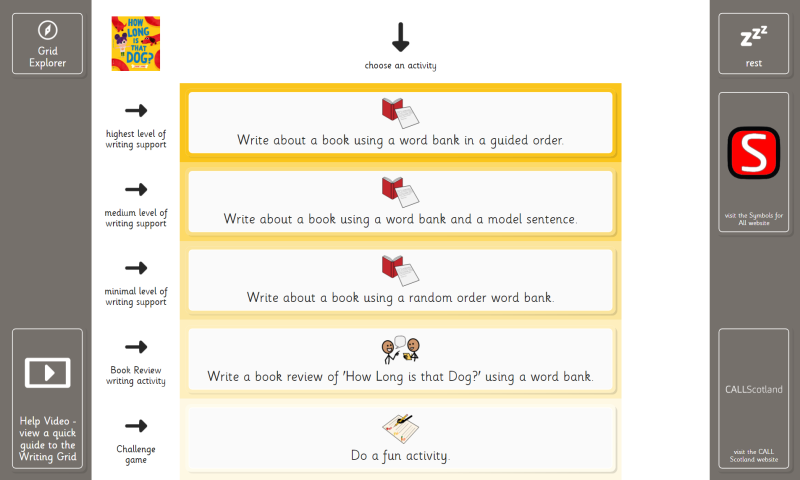
You can find out more about our Bookbug P1 Family Bag 2026 accessible books, symbolised resources and Clicker resources below.
The Grid writing activities have been designed to extend learning opportunities using the Bookbug books as a topic for writing.
The Grid 3 writing resources are particularly useful for learners who are using eye gaze technology as their method of accessing computers. Each page has a ‘Rest Cell’ which can be toggled on and off to allow learners to explore a page at their leisure. However, the writing grid sets can also be used by anyone using switches, touchscreens, rollerballs, or joysticks. Whether you’re using Grid on a Windows device or iPad, you will be able to use the writing resources.
Each book has its own grid set with three activities:
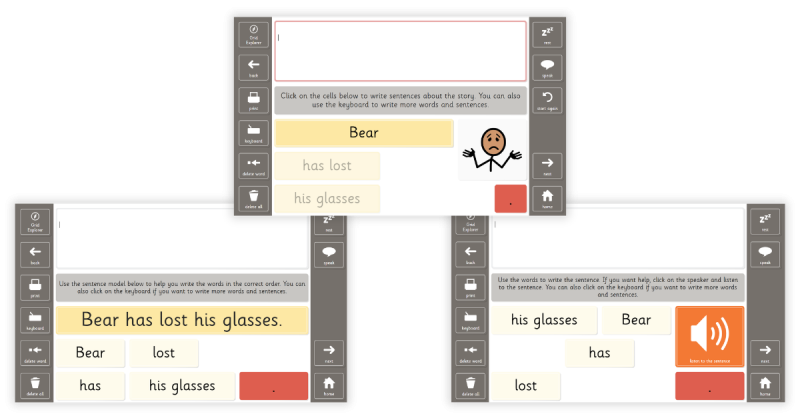
1. Retell the Story - Learners can use word banks with three different support levels to create sentences that retell the story. This can be used as a comprehension and sentence construction activity.
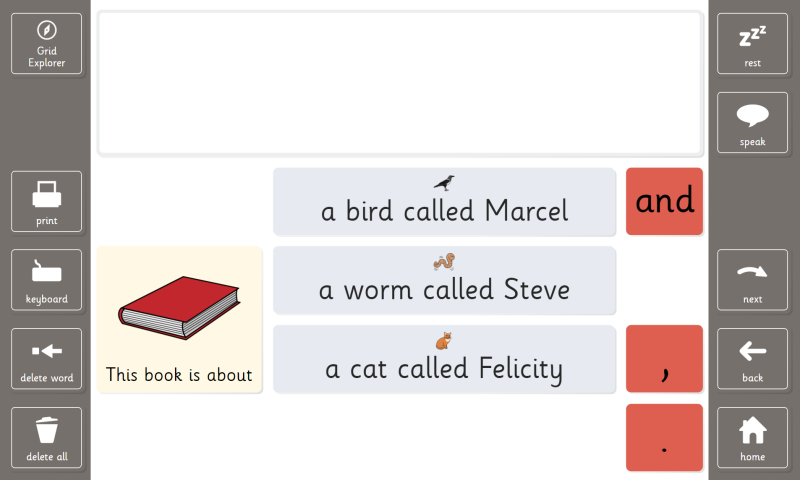
2. Write a Book Review - Learners select and build sentences from clusters of words and phrases to create a set of sentences reviewing the book.
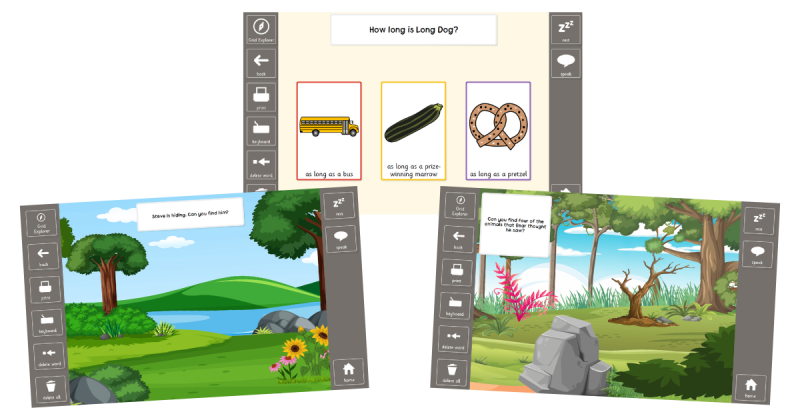
3. Do a fun activity – Each grid set has an activity with sound effects and interactive elements related to the theme of the book.
You can download the grid sets from Symbols for All: Bookbug Primary 1 Pack
Scroll down and look for the ‘Writing Gridset (Grid 3)’ link for each book.
If you don’t have access to a copy of Grid 3 software, you can access a 60-day trial for Grid 3 for Windows and a 30-day trial for Grid for iPad from the link below:
Newsletter: join thousands of other peopleOnce a month we'll send you an email with news, research and thoughts, as well as training courses and free webinars you may wish to attend.
Our social media sites - YouTube, Twitter and Facebook